
Bulk tailored catalogues
Adding products in bulk
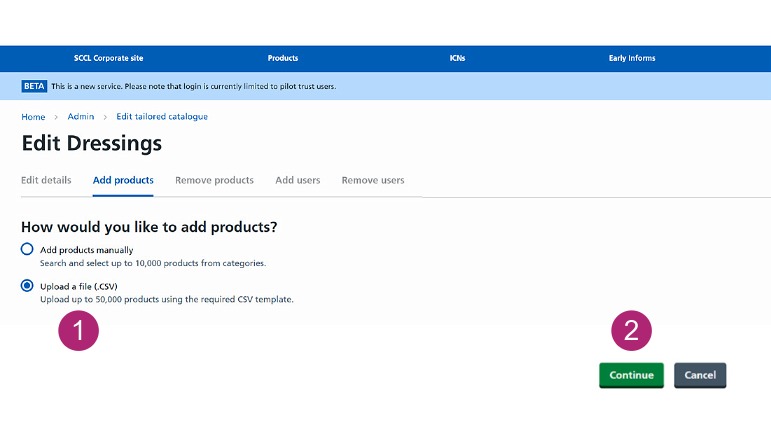
You can upload up to 50,000 products at a time using a CSV file. Download the template and complete it using the guidance on the page. Save the file in CSV format (.csv) before uploading.
-
Select Upload a file (.CSV).
-
Select Continue.
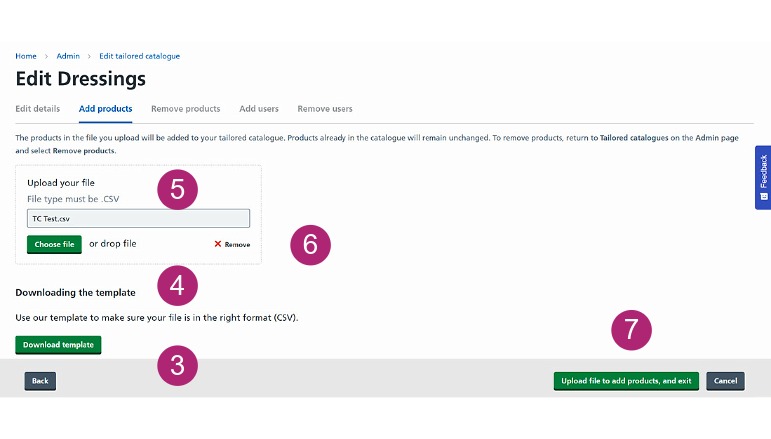
- Follow the on-page guidance on the page and save the file as a CSV.
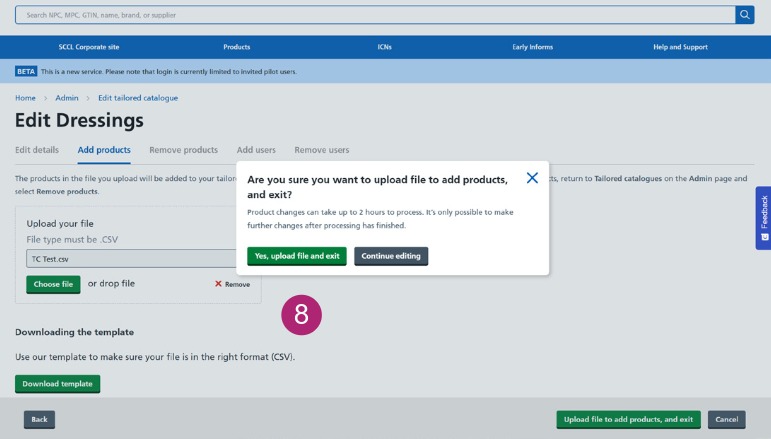
You’ll return to the Main Tailored Catalogue page.
All products listed in your uploaded file will be added to your catalogue.
The upload can take up to 30 minutes to complete. You may need to log out and back in to see the products in your catalogue.
Removing products in bulk
You can remove products from your Tailored Catalogue by uploading a CSV file.
Download the template and add the NPCs of the products you want to remove. Follow the guidance on the page and save the file in CSV format (.csv) before uploading.
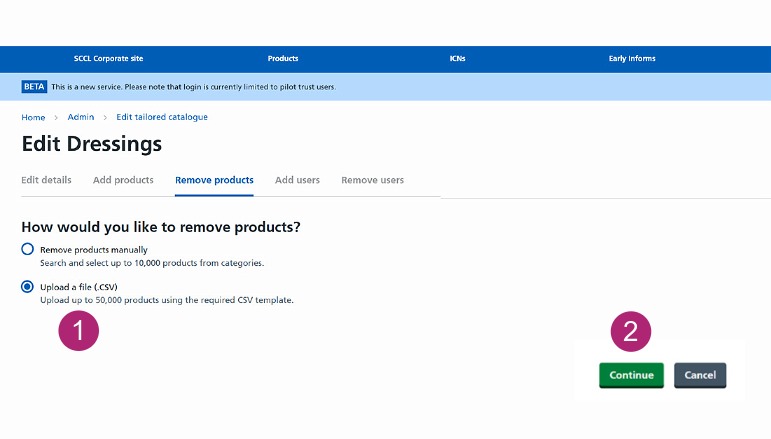
On the Admin page, find the catalogue you want to update and select Remove products.
-
Select Upload a file (.CSV).
-
Select Continue.
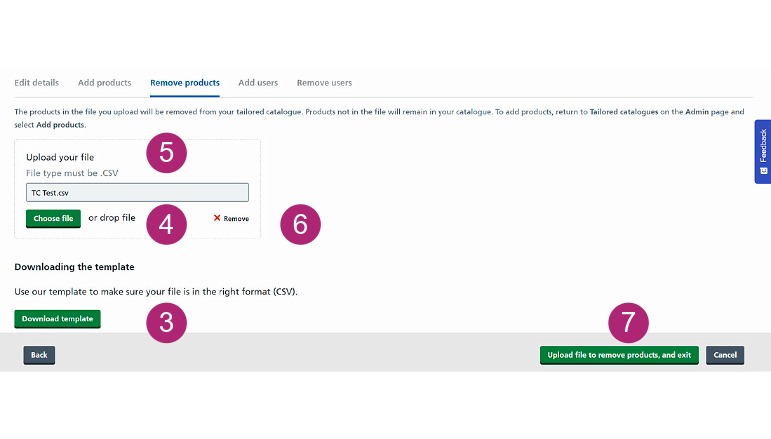
- Follow the on-page guidance on the page and save the file as a CSV.
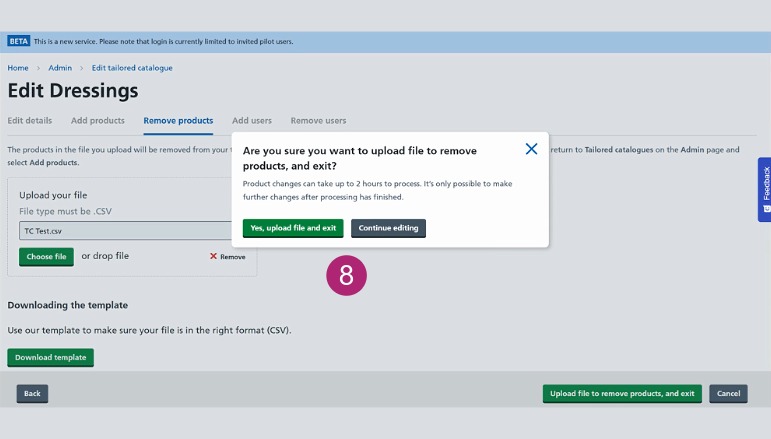
All products listed in your uploaded file will be removed from your catalogue.
The upload can take up to 30 minutes to complete. You may need to log out and back in to see the products in your catalogue.